RustDesk, Allow Remote Configuration
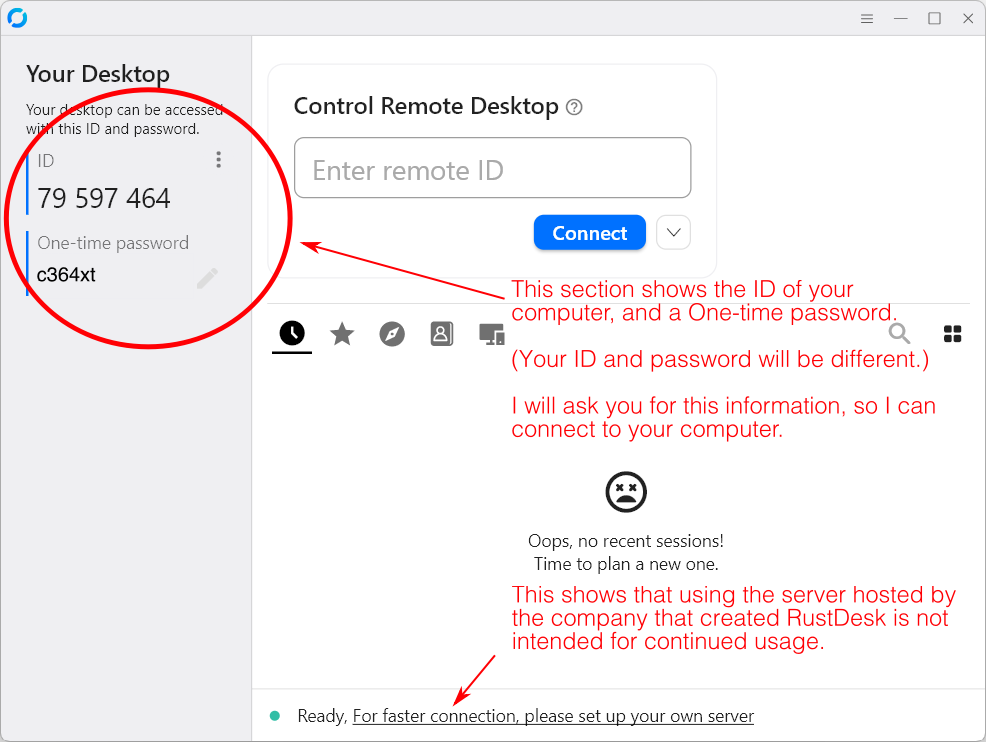
The initial RustDesk view:
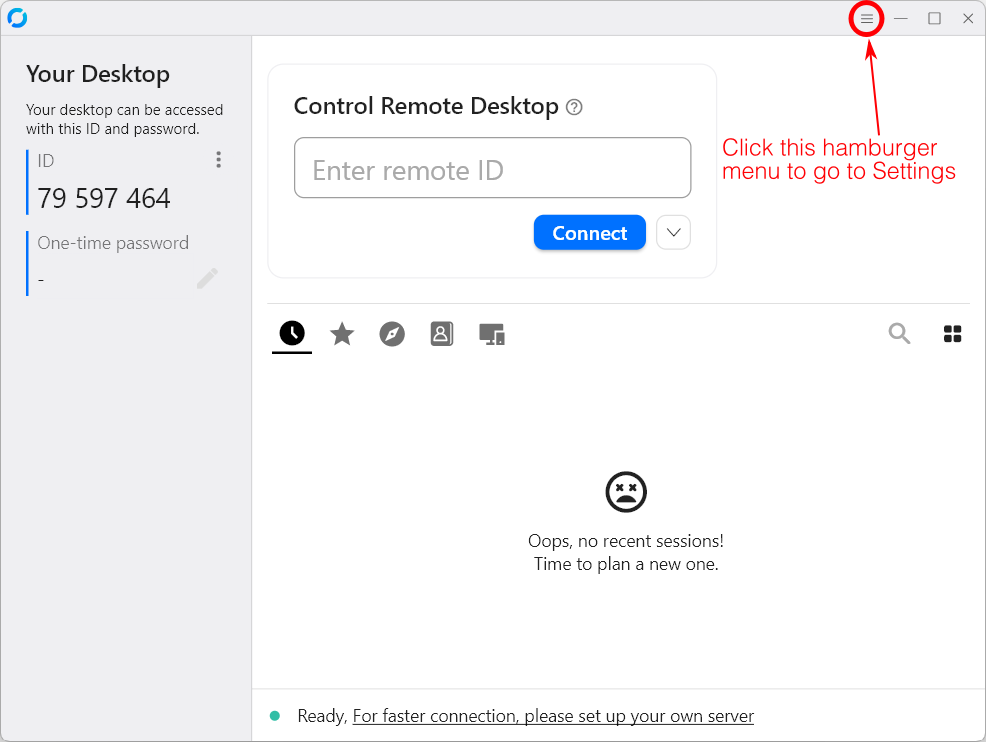
In the initial RustDesk view, click on the hamburger menu to go to Settings:
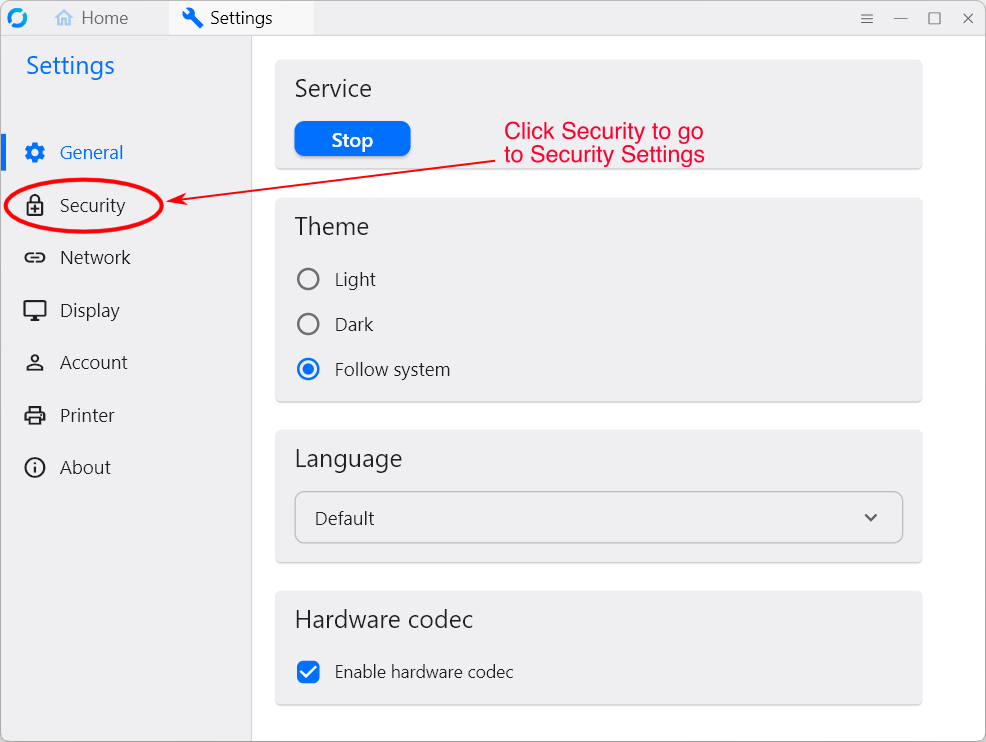
In the initial Settings view, click on Security to go to the Security Settings:
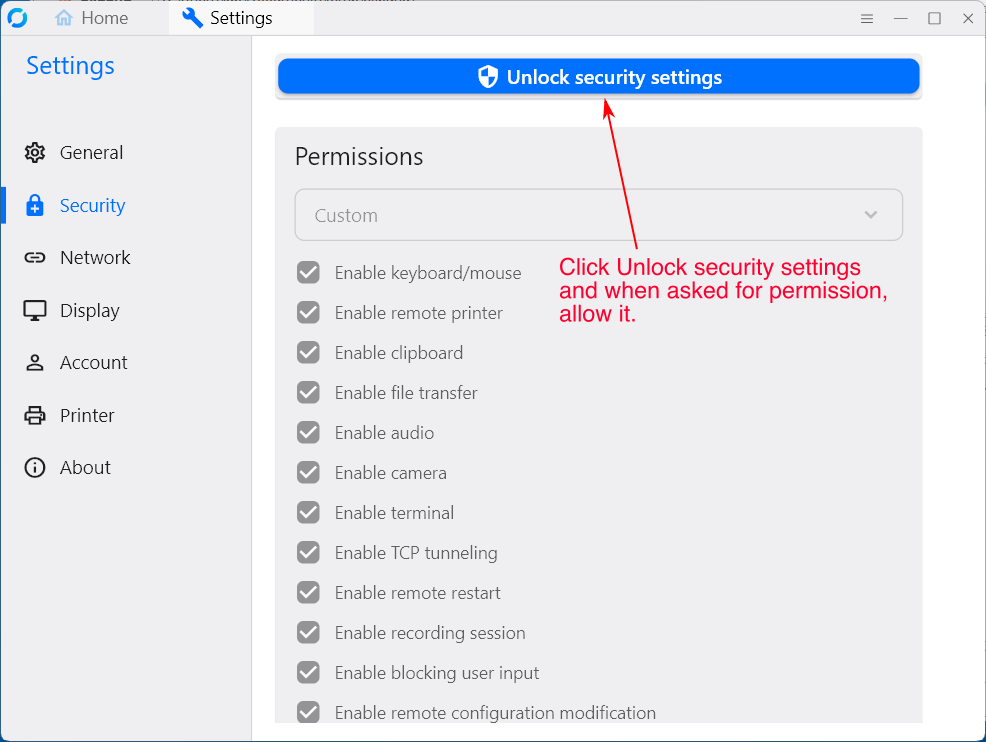
In the Security Settings view, click on Unlock security settings:
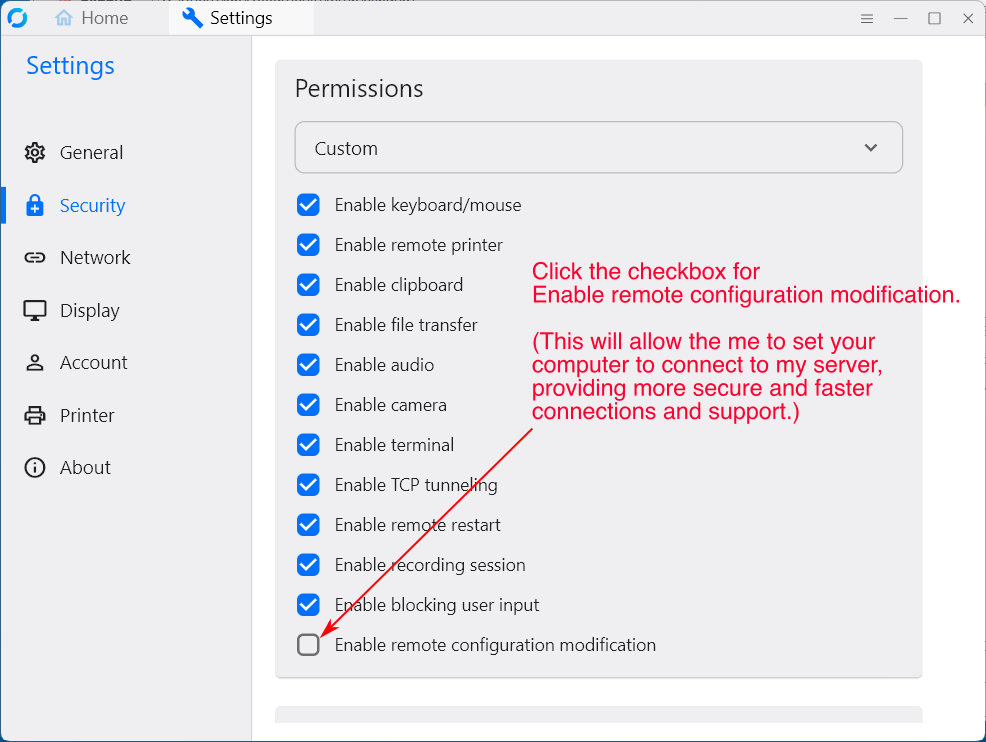
In the Security Settings view, click the checkbox for Enable remote configuration modification to enable it:
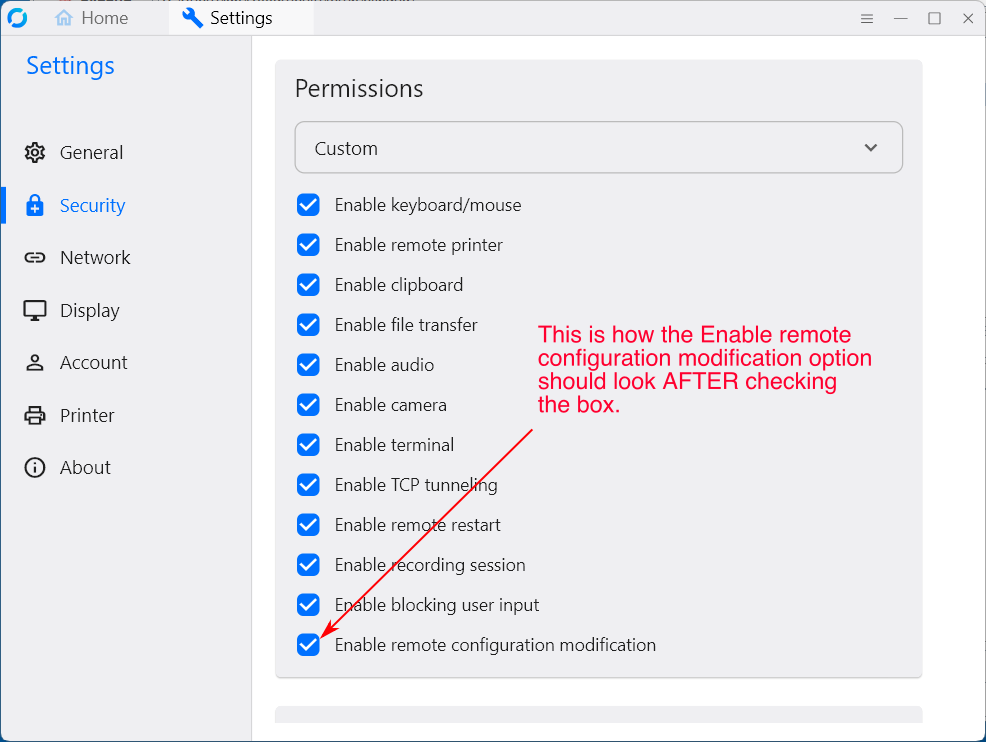
This is how Security Settings should look after enabling the option Enable remote configuration modification:
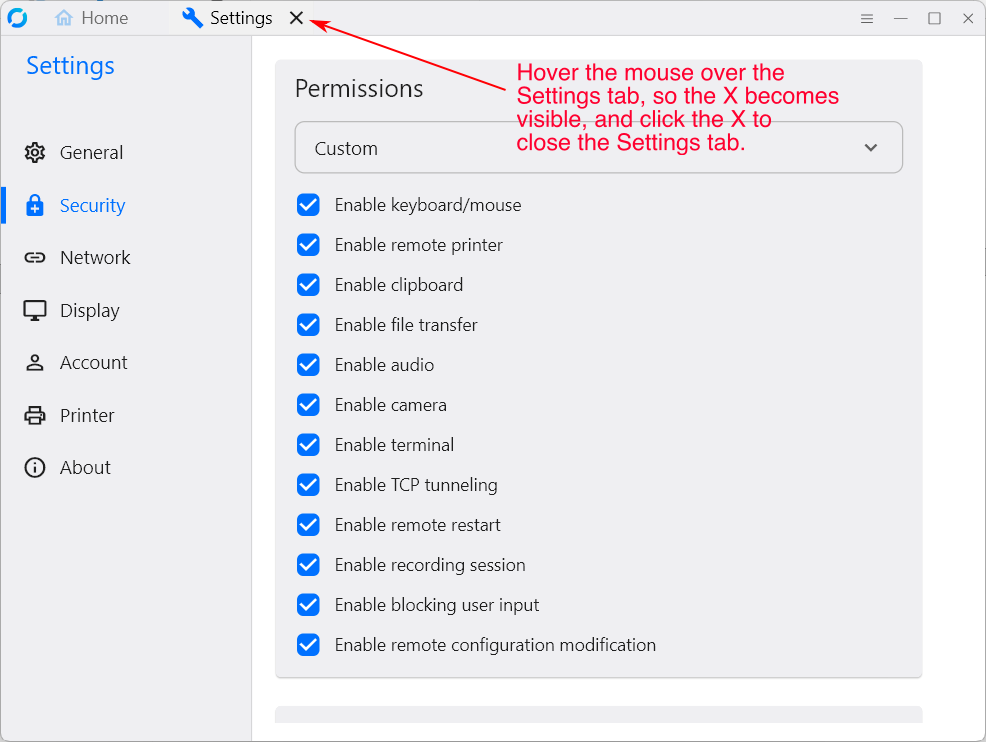
Close the Settings tab:
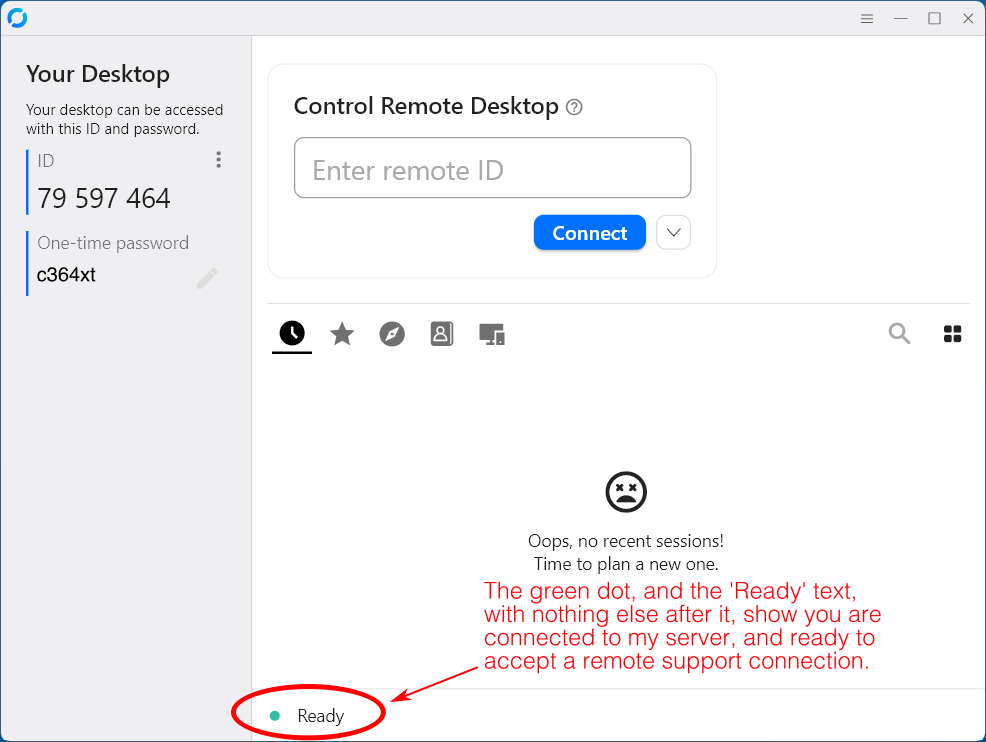
After I have remotely configured your computer to connect to my server, the green dot and 'Ready' text, with nothing else after it, show you are connected to my server, and ready to accept a remote support connection: